For freelancers
A support desk for freelance web developers and designers
Keep every client request, hour and report in one place, give each client a link instead of a login, and see at a glance who is holding up each project.
Start with New project
One short form sets you up for a new client.
-
Name the project and client
Navbatly suggests a ticket key from the client's name, so their tickets read like BLM-1, BLM-2.
-
Add who you deal with
Their contact and email, so replies, requests and reminders reach them.
-
Add the agreed date
If you have one. The project's target date then moves with every day you wait on the client.
-
Log the first request
The project comes with an hourly contract, ready for tickets and time straight away.
Every project at a glance
Each project on its own page
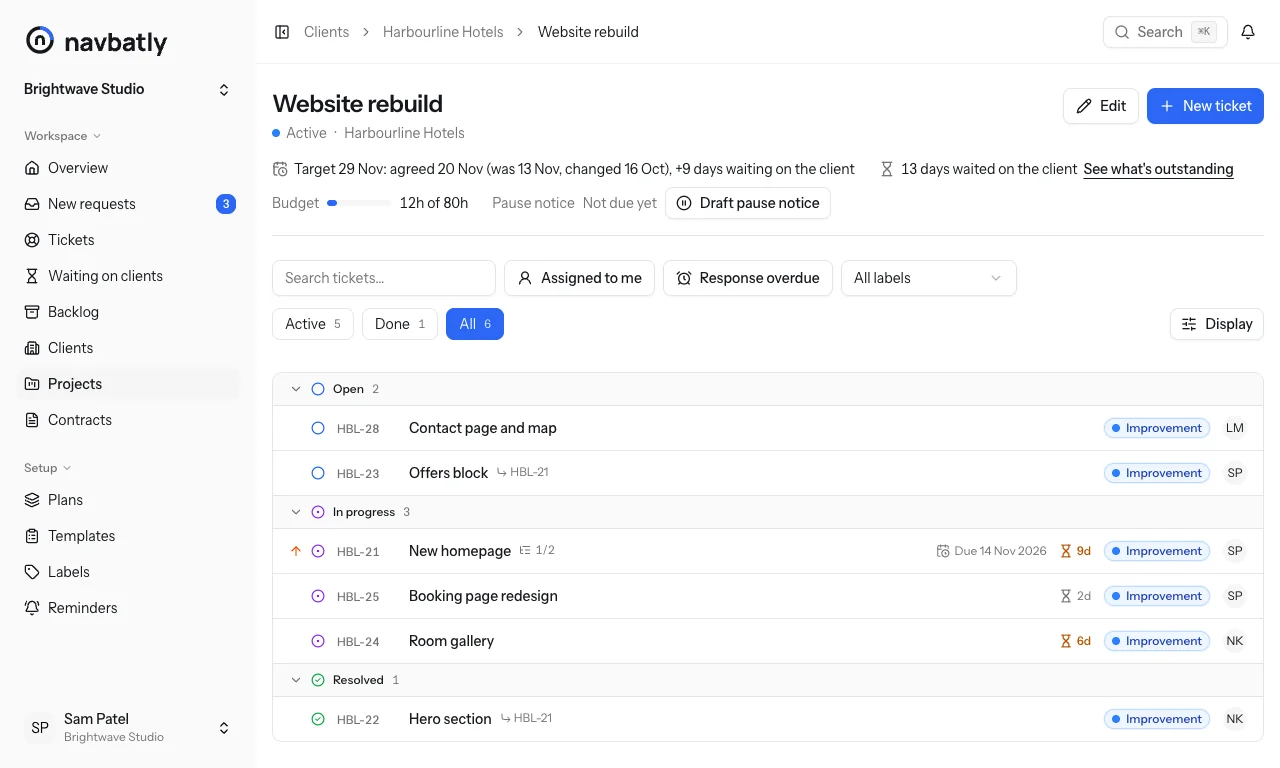
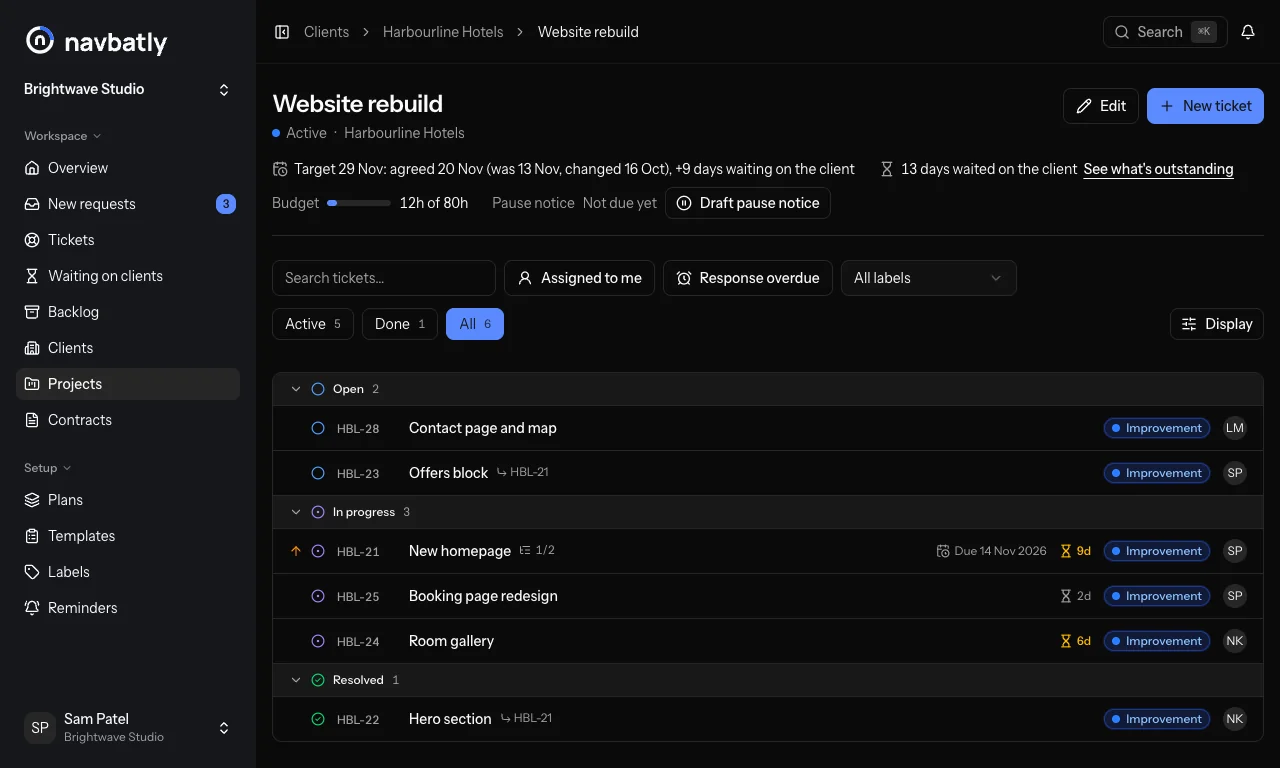
A project's page shows how it is going, above its tickets: its status and client, the target date, the days it has waited on the client, the budget used and the pause notice.
- The target date: the agreed date moved later by each day waited on the client
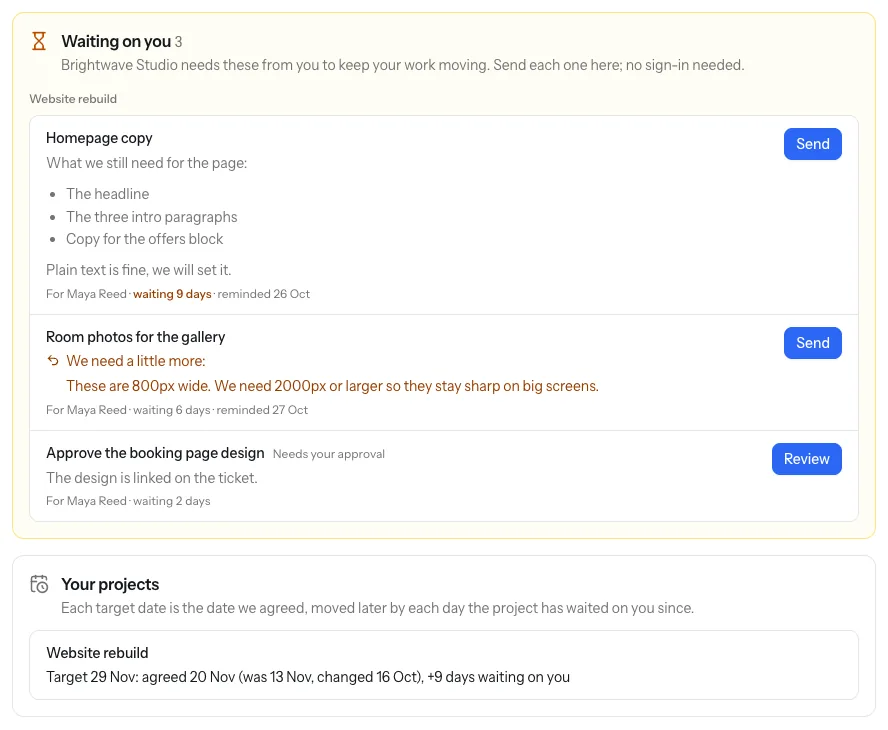
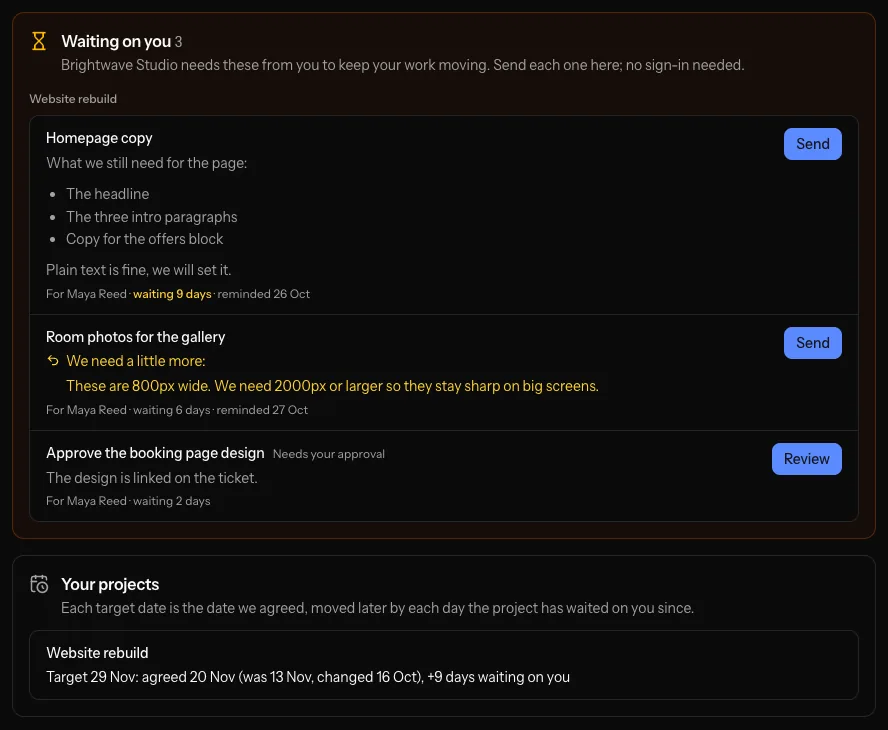
- One click to everything the client still owes on it
- Whether a pause notice is due, with a draft you edit before sending
What you get
-
Tickets per client
Every request numbered per client, with replies to the client and notes to yourself in one thread.
-
Hourly work, or a monthly plan
Charge by the hour, or sell a support plan with a monthly allowance when a client wants one.
-
A monthly report
A plain-English summary of what you did and the hours it took, ready to send.
-
A link instead of a login
Clients send requests and files, deliver what they owe and read their report without an account, or email your ticket inbox from an address you have for them.
-
Client Clock
What you're waiting for from each client, with days waited, reminders and a pause notice when it drags on.
-
Your AI assistant
Log time and update tickets from Claude through Navbatly's MCP server.
Questions from freelancers
Do I need a team?
Navbatly calls your workspace a team. Working alone, the team is just you, and you can invite someone later.
A client wants a monthly support plan. Can I add one?
Yes. Add a support contract with its monthly hours beside the hourly one, and new tickets can count against it.
Will my clients have to sign up?
No. They get a private link, and that's all they need. If they'd rather email, an email to your ticket inbox from an address you have for them opens a ticket, as long as they have a contract running.
Set up your first client in a minute
Create your team, then click New project.